

If you’re considering starting your own blog or creating a website for your business, WordPress is often recommended over other website building platforms.
As a website developer myself, I agree that WordPress is the world’s most popular content management system (CMS) and is known for its quality themes, plugins, tools, and user-friendly interface. However, building a website or blog on WordPress requires time and effort to learn and get used to.
To help make your journey with WordPress a little easier, we have put together a short list of tips and tricks, as well as do’s and don’ts when using WordPress.
-
Sign up for web hosting
Newbies tend to make the mistake of creating a WordPress account before signing up for web hosting, which just complicates the process. By signing up for web hosting first you already make your WordPress journey a whole lot easier as web hosting companies tend to offer free domain names, SSL certificates and one-click WordPress installation features. Does this still sound like a lot of work? Then send us a message and we will be happy to discuss our web development services with you. Enquire Now
-
Choose the right theme
At first thought it may seem like a simple task, but choosing a theme that just looks good may not be the best option. You have to consider the features and functionalities of the theme or else you will have to install tons of plugins to get close to what you want while sacrificing speed and performance of your website. So always, consider themes that are scalable and fits your criteria. If you don’t have a web developer consider buying a premium theme, as they tend to come with time to time updates and support, we can recommend one like Astra.
-
Setup a permalink structure
Permalink structure is an important part of the WordPress website in terms of SEO and ranking. It also provides benefits to visitors. Example below:
Good permalink structure https://www.example.com/wordpress-tips-and-tricks/
Bad permalink structure https://www.example.com/?p=542865295/
Having a good permalink structure just makes it easier for users and search engines to understand.
-
Create internal links on your website
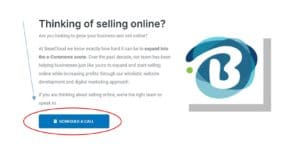
This is good practice for SEO and user experience (UX), as it helps users navigate easily through your website and helps tell search engines that your website is a good search result for your target keywords. Example below:
-
Limit the amount of plugins you use
Having too many plugins can easily slow down your website, and not to mention the amount of plugins you’ll need to frequently update or debug should you run into any problems. Only install plugins which are absolutely necessary. A good suggestion would be for you to read the description and reviews before installing.
- Number of installs is a good indicator for checking popularity of a plugin.
- Read the description to find out all the features of the plugin.
- Read the reviews for any concerning bugs or issue before installing a plugin.
Bonus tip: The ideal website layout is symmetrical, clean and tidy. More importantly, the top layouts make it clear what visitors expect when they land. You can do this with negative space and some important calls to action.
If you need help building an excellent WordPress website that focuses on conversions and getting your business sales, let’s talk. We’ve built hundreds of high-converting websites for our clients.


