










4.98 Google rating

For MSPs, IT support firms and solution providers

MSP CRM for IT Companies

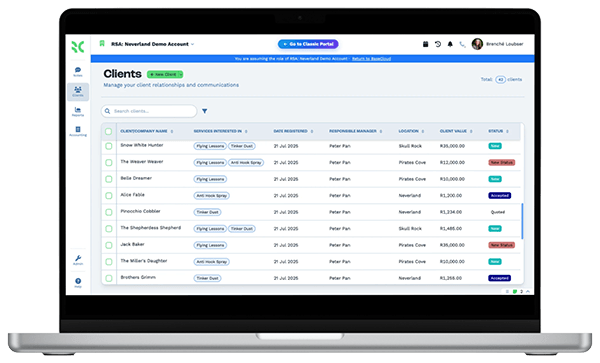
BaseCloud is a CRM for IT companies that sell managed services. Quote hardware, licenses and per-user support from one pricebook, bill each agreement every month without retyping it, and keep every client request, call and renewal date on the client record.

Weighing us up against what you run now? Grab the CRM comparison sheet.

Clients who love our CRM system

Feel free to ask them about us.

  • Galetti
  • Quatro
  • Agriskills
  • Mastercare
  • Aluma
  • TutorsSA
  • Gawie le Roux Institute of Law
  • BNI
  • Vision Works
  • Intello Group

Selling the managed-service agreement is the easy part. Billing it, renewing it and growing it is where MSPs leak.

Your engineers fix things all day, and sales happens in between. A prospect asks for a quote and it gets built in a spreadsheet from last year's prices. Monthly agreements are invoiced by hand, so a new seat or an extra backup license never makes it onto the bill. Firewall subscriptions and warranties expire before anyone notices, and the client hears about it from the outage.

What BaseCloud CRM solves

What an MSP CRM should fix

  • Quotes built from current hardware, license and labor prices, not an old spreadsheet
  • Managed-service agreements invoiced every month without anyone retyping them
  • Seat counts, devices and license renewals listed per client, with dates you can act on
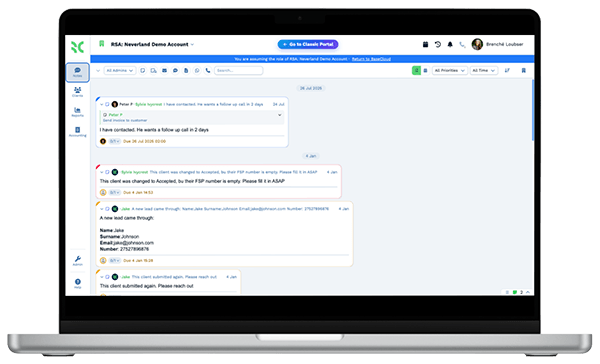
  • Client requests assigned to an engineer and followed up, not lost in a shared inbox
  • Every support and sales call recorded on the client, so the next person has context
  • Renewal conversations started months early, not the week the license lapses

How it works

From first call to a renewed agreement

Four jobs an IT company runs every month, and where each one lives in BaseCloud.

Quotes from one pricebook

A prospect calls about a new office network. You build the quote from your pricebook of hardware, licenses and setup labor, then send it from the CRM.

  • Bundles for standard packages, such as a per-user support plan with backup and email security
  • Presentation mode to walk a prospect through options on a screen share
  • Accepted quotes convert to an invoice without rekeying the lines

What you get

The tools an MSP uses every day

Each tile is a standard BaseCloud feature, described the way an IT services business would use it.

  • A pricebook for hardware, licenses and labor

    Keep cost and sell price for every line, group them into bundles, and import your distributor price list by CSV.

  • Recurring invoices for every agreement

    Bill managed-service plans monthly from a recurring invoice. Clients pay online, and AR aging shows who is behind.

  • An assets table on every client

    Track devices, serial numbers, license counts and warranty end dates in a per-client table, with column totals for seats.

  • MSAs signed without the printer

    Send master service agreements and statements of work to several signers in order, with a code by text or email.

  • A support line that reaches someone

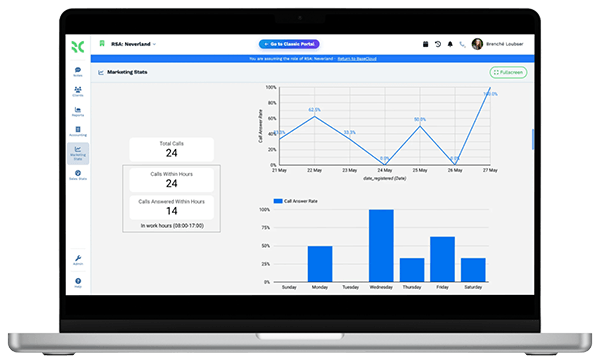
    Press 1 for support, 2 for sales. Ring groups cover the help line, and after hours it can ring the on-call engineer's cellphone.

  • Monitoring alerts into tasks

    If your monitoring or backup tool can send a webhook, a Webhook In workflow can raise a Workflow Note for the right engineer.

The BaseCloud difference

Built in, not bolted on

Calling, texting, WhatsApp, email, quoting, e-signature and automation are part of BaseCloud, not add-ons from other vendors. One login, one client record, and no connectors to keep alive between separate subscriptions.

  • Phone system
  • SMS
  • WhatsApp
  • Gmail / Microsoft 365
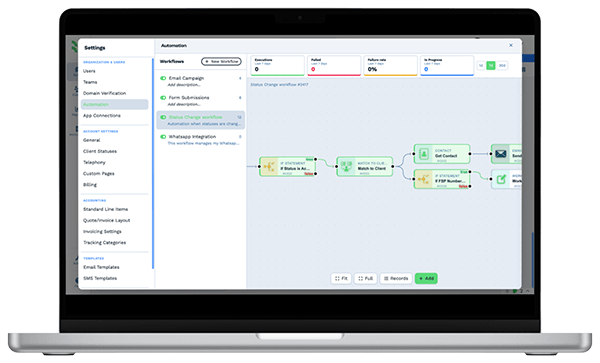
  • Workflow automation
  • Quotes & invoices
  • E-signature

IT Companies & MSPs on BaseCloud

One new client, from inquiry to first renewal

This is an example of how an IT company could set up BaseCloud for new managed-service clients. It is a sample setup, not a customer story, and every step can be changed.

Example workflow

A 25-person accounting firm asks for managed IT support

The office manager fills in the contact form on your website after their old provider stops answering. Here is how the account is won, billed and kept.

  1. 1. Inquiry logged

    The form creates the client, records the source and assigns the account manager. Call Connect rings them so the office manager hears back right away.

  2. 2. Site survey booked

    The survey goes into the engineer's Google or Outlook calendar, and the client gets a text reminder the day before.

  3. 3. Quote sent

    The account manager builds a per-user support quote from the pricebook, plus a firewall and new laptops, and sends it from the CRM.

  4. 4. MSA signed

    The master service agreement goes out for e-signature. Once signed, the onboarding Workflow Notes are created for the engineers.

  5. 5. Billing starts

    A recurring invoice bills the monthly plan, the client pays by card, and the invoice syncs to Xero.

  6. 6. Renewal prepared

    The firewall subscription date triggers a renewal task 90 days out, and a review meeting is booked with the managing partner.

Your engineers stay on technical work. Quotes, billing and renewals follow the same steps for every client.

We pride ourselves on 5-Star Service

4.98 Google rating

Read our reviews on Google

FAQ

MSP CRM questions

Is BaseCloud a PSA or a ticketing system?
No. BaseCloud tracks client requests as Workflow Notes, which are assignable tasks with due dates and the full history on the client. It has no ticket queues, SLA clocks or time tracking. Many IT companies keep their service desk tool for that and use BaseCloud for sales, agreements, billing and client communication.
Does BaseCloud integrate with ConnectWise, Autotask or my RMM?
There is no built-in integration with PSA or RMM tools. Any tool that can send a webhook can create clients or Workflow Notes in BaseCloud, and the public API and Webhook Out action let you push data the other way. You can also bring client lists in by CSV import.
Can BaseCloud bill monthly managed-service agreements?
Yes. Each agreement can be a recurring invoice that goes out on schedule, and clients can pay online by card through Stripe. When a client adds users, you update the quantity on the recurring invoice. Invoices can sync to Xero or Sage.
Can we track devices, licenses and warranty dates for each client?
Yes, with a custom table on each client for devices, serial numbers, license counts and warranty dates. Key renewal dates can also be date fields on the client, and a Client Date Trigger turns them into reminders and tasks.
Can our support line ring the on-call engineer after hours?
Yes. Call flows let you build a menu, ring groups and timed steps, and a step can ring a team member's cellphone when they are away from the CRM. Missed calls go to voicemail, saved on the client with the recording.
How do we move our clients and phone numbers across?
Import clients and contacts by CSV, then merge any duplicates. You can port your existing US numbers into BaseCloud, so clients keep calling the number they already know.

Fewer missed renewals. Cleaner monthly billing.

Show us how you quote, bill and renew today, and we'll set up your pricebook, agreements and request follow-up in BaseCloud.

See it for yourself

Watch the system in action