










4.98 Google rating

For general contractors, remodelers and home builders

CRM for the Construction Industry

BaseCloud is a construction CRM that keeps every bid request, site visit, estimate and change order on the client's record, with the phone system and texting built in. Bid requests get a same-day call back, estimates get chased on a schedule, and extra work is approved in writing before the crew starts it.

Weighing us up against what you run now? Grab the CRM comparison sheet.

Clients who love our CRM system

Feel free to ask them about us.

  • Galetti
  • Quatro
  • Agriskills
  • Mastercare
  • Aluma
  • TutorsSA
  • Gawie le Roux Institute of Law
  • BNI
  • Vision Works
  • Intello Group

Jobs are won by the contractor who follows up. Margin is kept by the one who gets changes signed.

Bid requests arrive by phone, email, your website and referral texts while you're walking a job. Estimates go out and nobody calls to ask how they landed. A homeowner asks for three more outlets during a walkthrough, the crew does the work, and there's nothing in writing when the invoice goes out. Calls with subs and suppliers happen on personal cellphones, so the details leave with whoever took them.

What BaseCloud CRM solves

What a construction CRM should fix

  • Every bid request, from phone, web form or referral, on one client record with its source
  • Site visits on the estimator's calendar, with a reminder sent to the homeowner
  • Open estimates followed up on a set schedule until the client says yes or no
  • Change orders signed electronically before the extra work begins
  • Sub and supplier calls recorded on the client, not buried in someone's cellphone
  • Deposit and progress invoices sent from the CRM and paid online by card

How it works

From bid request to final invoice

Four jobs a contractor's office handles every week, and how BaseCloud runs each one.

Bid requests that get an answer

A website form, a Facebook lead ad or a phone call creates the client and records where the request came from. The estimator who covers that area is notified and a follow-up is set.

  • Call Connect rings the estimator as soon as a web bid request arrives
  • Tracking numbers show whether the yard sign, the truck or the Google ad made the phone ring
  • Plans, drawings and photos stored in the client's files

What you get

Made for the way contractors win work

The parts of BaseCloud a construction office leans on daily, described in the words your estimators use.

  • Estimates from your own pricebook

    Materials, labor and assemblies with cost and price, organized by trade. Build the estimate, then turn it into a deposit or progress invoice.

  • Contracts and change orders signed online

    Signing order, one-time code checks and a completion certificate with an audit trail, so every approved change has a record.

  • A Jobs table on every client

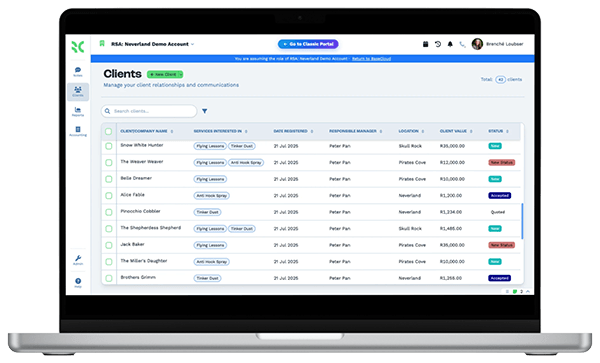
    Job address, scope, permit number, start date and contract value per client, with column totals for what has been invoiced so far.

  • Sub and supplier calls on record

    Calls with subs, suppliers and homeowners are recorded and transcribed, with an AI summary and action points on the right client.

  • The office line on the job site

    Take business calls on the BaseCloud Phone app from the site, transfer them back to the office, and keep each one on the client.

  • Bids and money owed at a glance

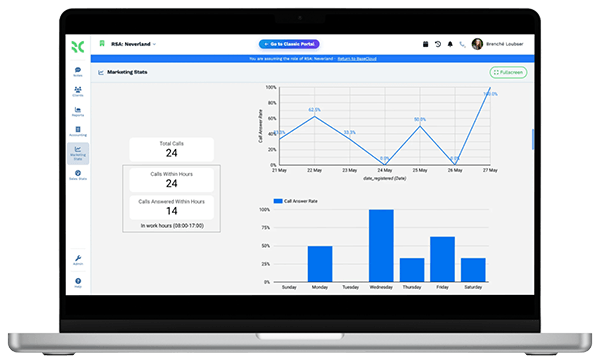
    Dashboards for bid requests by source, estimates still open, win rate by estimator and invoices past due.

The BaseCloud difference

Built in, not bolted on

Calling, texting, WhatsApp, email, quoting, e-signature and automation are part of BaseCloud, not add-ons from other vendors. One login, one client record, and no connectors to keep alive between separate subscriptions.

  • Phone system
  • SMS
  • WhatsApp
  • Gmail / Microsoft 365
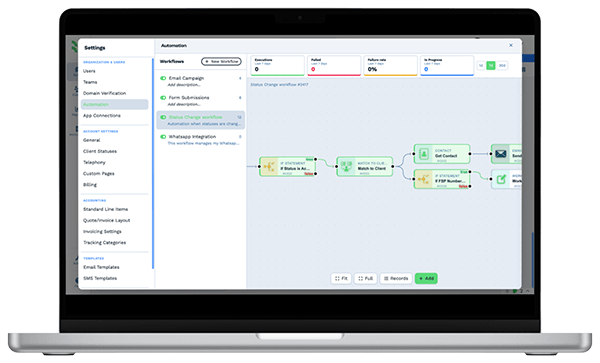
  • Workflow automation
  • Quotes & invoices
  • E-signature

Construction & Home Builders on BaseCloud

One remodel, from bid request to signed contract

Below is a sample setup for a small remodeling contractor, not a customer story. Each step is a standard workflow you can adjust.

Example workflow

A kitchen remodel inquiry handled by a three-person remodeling firm

A homeowner asks for a kitchen remodel bid through the website on a Tuesday evening. This is the path from that form to the final invoice.

  1. 1. Bid request in

    The form creates the client, records the source and assigns the estimator who covers that zip code.

  2. 2. Called back

    Call Connect rings the estimator and dials the homeowner. The conversation is recorded and summarized on the client.

  3. 3. Walkthrough booked

    The site visit goes into the estimator's calendar. The homeowner gets a text reminder the day before.

  4. 4. Estimate sent

    The estimator builds the quote from pricebook bundles. If there's no answer after a few days, a follow-up email and text go out.

  5. 5. Contract signed

    The homeowner signs the contract online and pays the deposit invoice by card through Stripe.

  6. 6. Change order

    Mid-job, the client adds pantry cabinets. The change order is signed before anything is ordered, and the final invoice includes it.

The estimator spends the week on site visits. Follow-ups, reminders and signatures happen in the background.

We pride ourselves on 5-Star Service

4.98 Google rating

Read our reviews on Google

FAQ

Construction CRM questions

What does a construction CRM do that a spreadsheet can't?
It tracks every bid request from first call to signed contract, tells your team when to follow up, and keeps calls, emails, texts, estimates and signed documents on one client record. BaseCloud also includes the phone system, texting and e-signature, so the office isn't switching between separate tools.
Does BaseCloud handle project management or crew scheduling?
No. BaseCloud covers the front end of the job and the paperwork around it, from bid requests and site visits to estimates, contracts, change orders and invoices. It doesn't schedule crews or track project tasks and timelines. If you use project management software, key details can be sent to it by webhook or through the API.
Can I build estimates from my own prices?
Yes. The pricebook holds your materials, labor and assemblies with cost and price in categories, and you can import it from a CSV file. Bundles price a common scope in one line, and the estimate converts to an invoice when the client accepts.
Will it work with my accounting software?
BaseCloud syncs contacts and invoices with Xero and Sage. For other accounting software, invoice and payment details can be sent across with a webhook or the public API. Clients can pay invoices online by card through Stripe.
Do homeowners and subs need an account to sign documents?
No. Signers open a secure link sent by email or text and confirm who they are with a one-time code. When everyone has signed, the document and a completion certificate with the audit trail are saved on the client.
Can my team use it from the job site?
Yes. The BaseCloud Phone app for iOS and Android lets field staff make and take business calls from the site. The CRM runs in a mobile browser and can be installed as a web app, so photos and notes can be added to the client from the truck.

More bids answered. Every change order signed.

Tell us how your office handles bid requests today, and we'll show you estimates, site visits and change orders set up in BaseCloud.

See it for yourself

Watch the system in action