









4.98 Google rating

For residential and commercial pest control companies

CRM for Pest Control Companies

BaseCloud is a pest control CRM for the office side of the business. Calls are answered or returned, quotes go out from your pricebook, recurring service plans are billed on a schedule, and customers get a text before the technician arrives.

Weighing us up against what you run now? Grab the CRM comparison sheet.

Clients who love our CRM system

Feel free to ask them about us.

  • Galetti
  • Quatro
  • Agriskills
  • Mastercare
  • Aluma
  • TutorsSA
  • Gawie le Roux Institute of Law
  • BNI
  • Vision Works
  • Intello Group

One-time treatments keep you busy. Recurring plans keep you in business.

The phone rings hardest in spring and summer, usually while the office is already on another call. A homeowner with ants in the kitchen calls three companies and books the first one that answers. Termite quotes go out and are never followed up, plan customers are invoiced by hand, and nobody asks a happy customer for a review.

What BaseCloud CRM solves

What a pest control CRM should fix

  • Every call answered or called back, even in peak season
  • Quotes for one-time treatments and plans built from one price list
  • Open quotes followed up until the customer decides
  • Recurring service plans billed without retyping invoices
  • A text before each visit, so someone is home or the gate is open
  • A review request after every completed service

How it works

From the first call to the next scheduled service

Four jobs a pest control office handles every week, set up once in BaseCloud.

Every call answered or returned

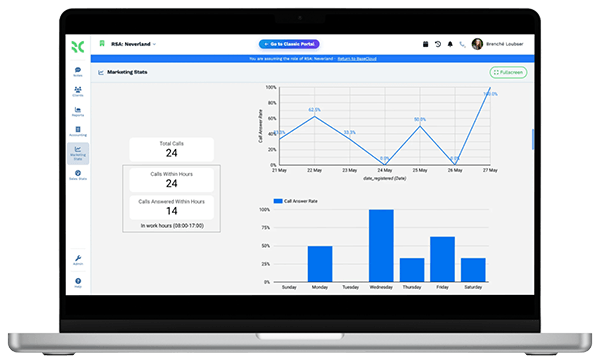
A call menu separates new customers from existing ones. Calls ring the office first, then a team member's cellphone, and a missed call still starts a follow-up.

  • Ring groups for the office, follow-me to a cellphone
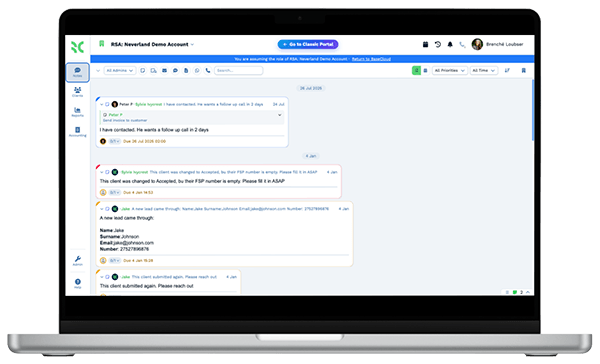
  • Missed calls get a text and a callback task
  • Every call recorded and summarized on the customer

What you get

Built for the pest control office

The BaseCloud features a pest control company uses every week, in your terms.

  • Call menus and ring groups

    An IVR menu, ring groups and follow-me to a cellphone, so a new customer reaches a person and not a voicemail.

  • Pricebook quotes and recurring invoices

    Quote treatments and plans from a pricebook, convert the quote to an invoice and bill plan customers on a schedule.

  • Visits on a shared calendar

    Services go in each technician's Google or Outlook calendar, with a team view of the week and reminders sent automatically.

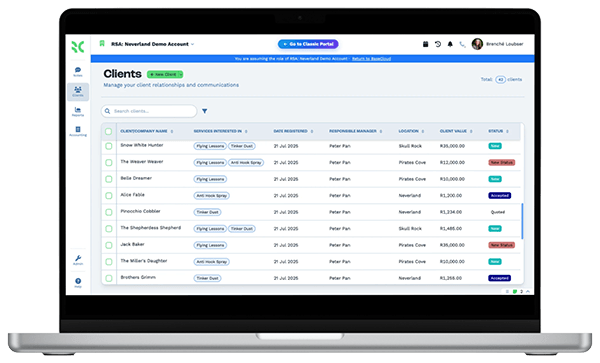
  • Service history per property

    A table on each customer for visits, with the date, the pest, the areas treated, notes and photos.

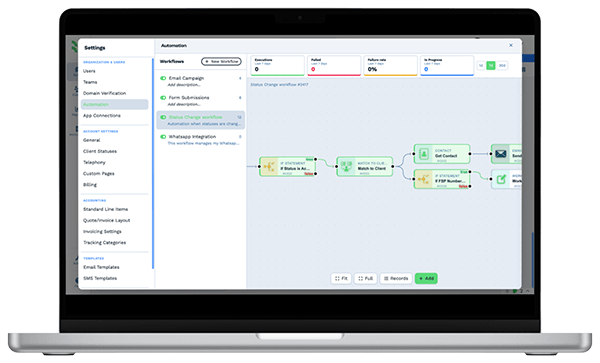
  • Follow-up and renewal workflows

    Quote follow-ups, visit reminders, renewal notices and seasonal offers run from workflows you set up once.

  • Google reviews and rank grid

    Ask for reviews after each service, reply to new ones and see your Maps ranking across your service area.

The BaseCloud difference

Built in, not bolted on

Calling, texting, WhatsApp, email, quoting, e-signature and automation are part of BaseCloud, not add-ons from other vendors. One login, one client record, and no connectors to keep alive between separate subscriptions.

  • Phone system
  • SMS
  • WhatsApp
  • Gmail / Microsoft 365
  • Workflow automation
  • Quotes & invoices
  • E-signature

Pest Control Companies on BaseCloud

One ant problem, from first call to quarterly plan

This is an example of how a pest control company can set up BaseCloud. Every step is a standard workflow you can change.

Example workflow

A homeowner who finds ants in the kitchen on a Monday morning

The homeowner searches Google Maps and calls the tracking number on your listing. Here is how one call becomes a plan customer.

  1. 1. Call answered

    The call rings the office and is recorded on a new customer, with Google Maps saved as the source.

  2. 2. Quote sent

    The office quotes a one-time treatment and a quarterly plan from the pricebook, by email and text.

  3. 3. Visit booked

    The customer picks the one-time treatment. It goes in the technician's calendar and a reminder text goes out the day before.

  4. 4. Service logged

    The technician adds a row to the customer's service table with the areas treated, notes and a photo.

  5. 5. Review asked

    Marking the service complete sends a review request. The new Google review gets a reply.

  6. 6. Plan offered

    Two weeks later a workflow offers the quarterly plan. The customer accepts and a recurring invoice starts.

Your technicians do the treatments. Callbacks, quotes, reminders, billing and reviews run around them.

We pride ourselves on 5-Star Service

4.98 Google rating

Read our reviews on Google

FAQ

Pest control CRM questions

How much does BaseCloud cost for a pest control company?
Plans and usage rates for calls, texts and AI are on the pricing page. Every plan includes every feature, so quoting, recurring invoices, the phone system and workflows are not add-ons.
Can BaseCloud bill recurring pest control plans?
Yes. Set up a recurring invoice for each plan customer and it is raised automatically on the schedule you choose. Customers pay by card online through Stripe and the payment is recorded on the invoice.
Can it text customers before a service visit?
Yes. A workflow sends a reminder a set time before a calendar booking, such as the day before, by text, WhatsApp or email. Texts go out from your business number, and for US numbers BaseCloud handles the 10DLC registration.
Does BaseCloud plan routes or dispatch technicians?
No. BaseCloud has no route optimization, dispatch board or GPS tracking. Visits are booked in each technician's Google or Outlook calendar and shown side by side on a team calendar. One-time jobs can be tracked in stages on a Kanban board.
Does it keep chemical usage records for state reporting?
No. BaseCloud is not a pesticide usage log built for regulators and it does not manage chemical inventory. You can build a table for service history with your own columns, but keep the records your state requires in the system you use for that today.
What does BaseCloud replace, and does it work with QuickBooks?
It can replace a separate phone system, texting tool, review tool and the spreadsheet you use for quotes and follow-up. It does not replace routing software, and technicians need an internet connection to use it in the field. QuickBooks connects through automation workflows that send customers, invoices and payments across.

More plan customers. Fewer missed calls.

Tell us how your office handles calls, quotes and recurring plans, and we'll show you that setup in BaseCloud.

See it for yourself

Watch the system in action