










4.98 Google rating

For attorneys, solo practices and intake teams

Law Firm CRM for Client Intake

BaseCloud handles the part of the practice before the case is opened. Every potential client gets a fast answer, consultations get booked and confirmed, and every intake call is recorded with a summary.

Weighing us up against what you run now? Grab the CRM comparison sheet.

Clients who love our CRM system

Feel free to ask them about us.

  • Galetti
  • Quatro
  • Agriskills
  • Mastercare
  • Aluma
  • TutorsSA
  • Gawie le Roux Institute of Law
  • BNI
  • Vision Works
  • Intello Group

Potential clients call more than one firm. They hire the first one that calls back.

A potential client calls after hours, leaves a voicemail and fills in two other firms' forms the same night. By the time someone at your office calls back, they have booked a consultation elsewhere. The ads are running, but nobody can say which ones produced signed clients.

What BaseCloud CRM solves

What a legal CRM should fix

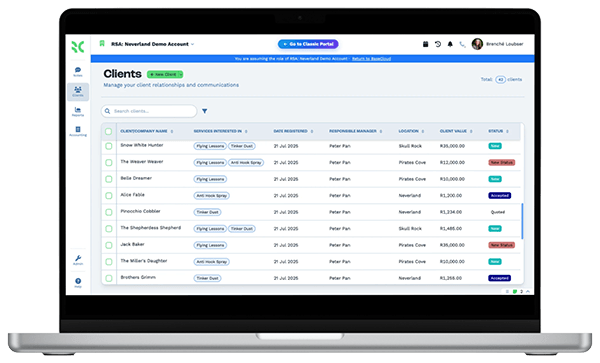
  • Every call, form and referral logged as a potential client
  • After-hours callers called back first thing, with a text in the meantime
  • Intake questions and conflict-check details captured on the record
  • Consultations booked into the attorney's calendar with reminders
  • Retainer agreements signed online and saved to the client
  • Signed clients traced back to the ad or referral source that sent them

How it works

Intake, consultation, retainer

Four steps between the first call and an open file.

Intake calls answered and recorded

A call menu routes new matters to intake and existing clients to their paralegal. Every call is recorded, transcribed and summarized.

  • Missed calls send an automatic text and create a callback task
  • Practice area, opposing party and incident date in custom fields
  • The AI summary pulls out the facts the attorney needs

What you get

Built for the intake desk

The parts of BaseCloud a law firm uses every day, in law firm terms.

  • Every intake call on record

    Calls are recorded, transcribed and summarized on the potential client, so nothing said on the first call is lost.

  • New matters routed to intake

    An IVR menu separates new callers from existing clients, and ring groups ring the intake team together.

  • Tracking numbers per campaign

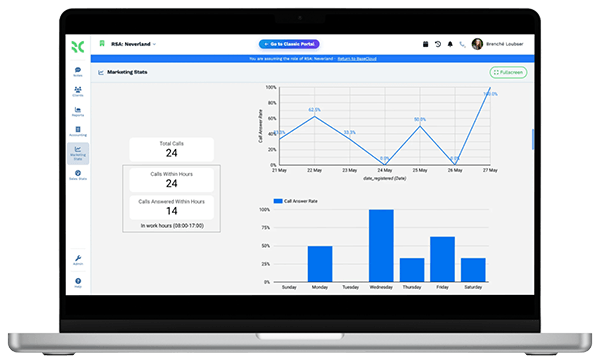
    See which ads, directories and referral partners make the phone ring and which callers became clients.

  • Intake and conflict fields

    Practice area, adverse parties, incident dates and statute dates as fields, filterable by the whole team.

  • Retainer agreements signed online

    Send retainers and fee agreements with signing order, one-time codes and an audit trail.

  • Consultations in the attorney's calendar

    Google and Outlook calendars synced both ways, with automatic reminders to the potential client.

The BaseCloud difference

Built in, not bolted on

Calling, texting, WhatsApp, email, quoting, e-signature and automation are part of BaseCloud, not add-ons from other vendors. One login, one client record, and no connectors to keep alive between separate subscriptions.

  • Phone system
  • SMS
  • WhatsApp
  • Gmail / Microsoft 365
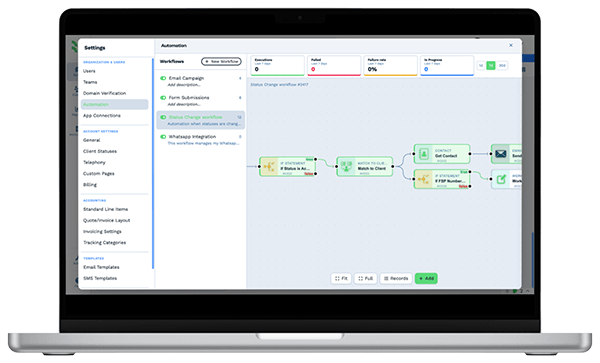
  • Workflow automation
  • Quotes & invoices
  • E-signature

Attorneys & Law Firms on BaseCloud

One potential client, from voicemail to retainer

This is an example of how a small firm can set up BaseCloud for intake. Every step is a standard workflow you can change.

Example workflow

An after-hours caller with a personal injury question

Someone calls at 9 pm after a car accident and reaches voicemail. Here is how the firm responds.

  1. 1. Voicemail saved

    The voicemail is saved on a new potential client record with the tracking number's source.

  2. 2. Text sent

    An automatic text says the firm got the message and will call first thing in the morning.

  3. 3. Callback task

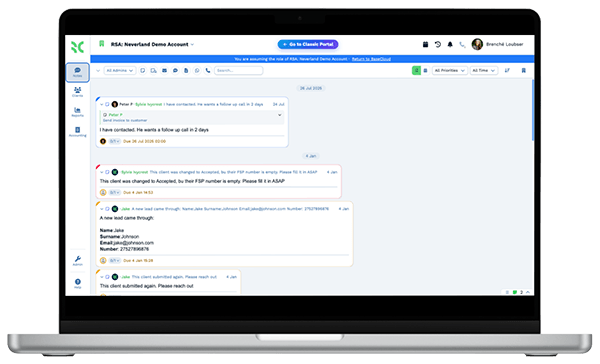
    At 8 am the intake team has a callback task at the top of their list.

  4. 4. Intake call

    The call is recorded and summarized. Incident date and other parties go into custom fields.

  5. 5. Consultation booked

    The consultation goes into the attorney's calendar. The client gets reminders by text.

  6. 6. Retainer signed

    The retainer agreement is sent for signature the same afternoon and saved to the client.

No potential client waits until someone remembers to call back, and every intake conversation is on record.

We pride ourselves on 5-Star Service

4.98 Google rating

Read our reviews on Google

FAQ

Law firm CRM questions

Is BaseCloud a case management system?
No. BaseCloud handles intake, communication and follow-up, from the first call to the signed retainer and beyond. Many firms keep their case management software for matters, documents and time and use BaseCloud for calls, texts, email and marketing.
Does it integrate with Clio or MyCase?
There is no built-in connection. Data can move between systems with the BaseCloud API, webhooks or CSV import and export.
Can we record intake calls?
Yes. Calls through BaseCloud are recorded, transcribed and summarized on the client record. Recording consent rules vary by state, and your firm is responsible for following them.
Can we see which marketing produces signed clients?
Yes. Tracking numbers, UTM capture on web forms and lead source fields tie each client to a source. Reports show calls, consultations and signed clients by source, and conversions can be sent back to Google Ads.
Can we text potential clients?
Yes, from your firm's numbers, with replies on the client record. BaseCloud handles US 10DLC registration for business texting.
How is client information protected?
Access is controlled by roles and teams, down to individual fields. Sign-in supports two-factor authentication, and an activity log records who changed what.

Every caller answered. More signed retainers.

Tell us how intake works at your firm today, and we'll show you the same process running in BaseCloud.

See it for yourself

Watch the system in action