









4.98 Google rating

For dentists, practice managers and front desk teams

Dental CRM for Dentists and Their Front Desk

BaseCloud is a CRM for dentists that works beside your practice management software and handles the follow-up it leaves to memory. New-patient calls get answered and logged, presented treatment gets scheduled, and overdue recall patients hear from you before they drift to another office.

Weighing us up against what you run now? Grab the CRM comparison sheet.

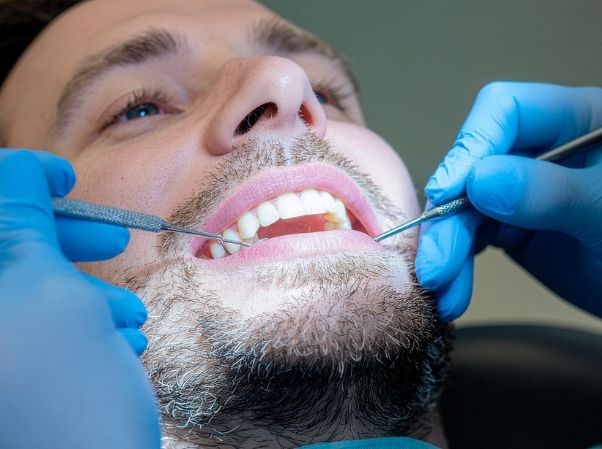
Dentist and practice team using BaseCloud CRM to manage patients and appointments

Overdue recalls texted on time

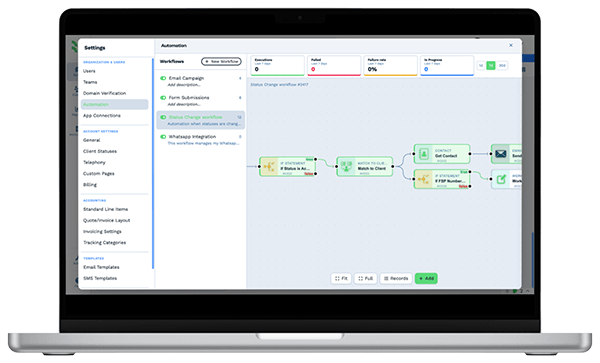
Example workflowFrom first call to recall

Clients who love our CRM system

Feel free to ask them about us.

  • Galetti
  • Quatro
  • Agriskills
  • Mastercare
  • Aluma
  • TutorsSA
  • Gawie le Roux Institute of Law
  • BNI
  • Vision Works
  • Intello Group

Your schedule has gaps you already paid to fill. Unscheduled treatment and lapsed recalls are patients you already have.

The front desk answers phones, checks patients in and verifies insurance, often in the same minute. A new-patient call rolls to voicemail over lunch. The crown the dentist presented on Tuesday is still unscheduled a month later. The hygiene recall list is a report someone plans to work through on Friday afternoon.

What BaseCloud CRM solves

What a dental CRM should fix

  • New-patient calls and web inquiries logged with the ad or referral that sent them
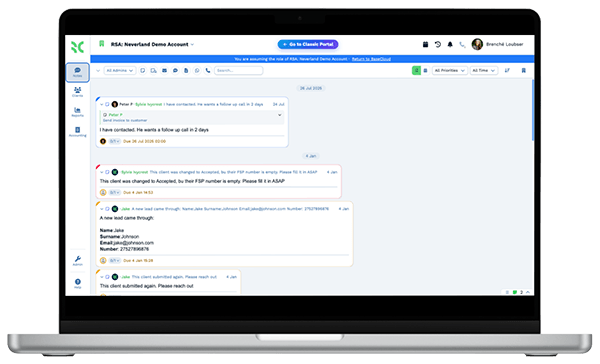
  • Missed calls returned first thing, with the voicemail saved on the patient
  • Presented treatment followed up until it is scheduled or declined
  • Hygiene recalls sent on each patient's own due date, by text and email
  • Broken appointments rebooked instead of quietly forgotten
  • A steady trickle of Google reviews from patients who had a good visit

How it works

From the first phone call to the next cleaning

Four jobs a dental office repeats every week, and how BaseCloud takes each one off the front desk.

New-patient inquiries answered first

A website form, a Facebook lead ad or a call to a tracking number creates the patient record and tells the front desk exactly who to call back.

  • Call Connect rings reception the moment a new-patient form arrives
  • A press-1 menu sends new-patient callers straight to the people who book them
  • The lead source is saved, so you can see which ads produce new patients

What you get

Built around the dental front desk

The parts of BaseCloud a dental team uses daily, described in the words your office already uses.

  • Office phones in the browser

    Answer, transfer and return calls from the CRM, a SIP desk phone or the BaseCloud Phone app. Every call is logged on the patient.

  • Front-desk calls summarized

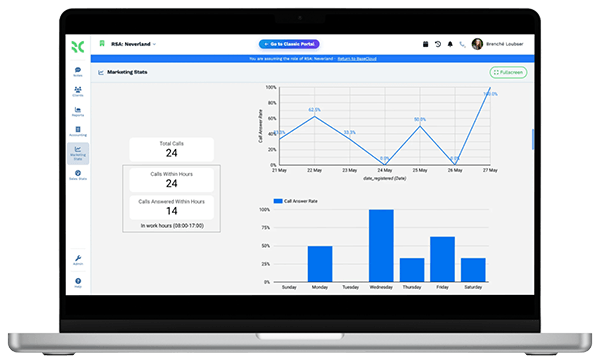
    Calls are recorded and transcribed with an AI summary, so a manager can check how new-patient calls go without listening to each one.

  • A Treatment Plans table per patient

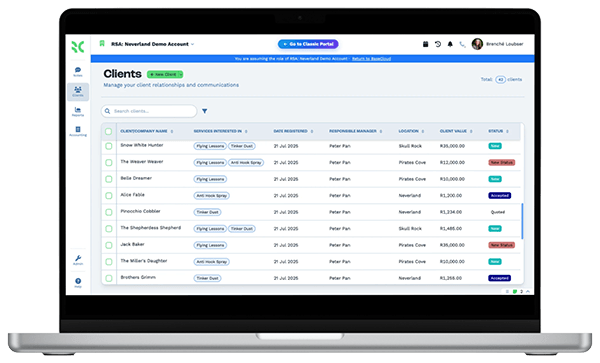
    Procedure, tooth, presented date, estimate and status in a table on each patient, with a column total for outstanding treatment.

  • Recalls that send themselves

    Client Date Triggers send recall messages on each patient's due date. A campaign with a goal keeps reminding until the patient books.

  • Texting from the office number

    Two-way texts from your practice line, with replies saved on the patient. BaseCloud handles US 10DLC registration for your numbers.

  • More Google reviews, answered quickly

    Ask every happy patient for a review and reply to new ones with AI or saved replies. Track your Maps ranking neighborhood by neighborhood.

The BaseCloud difference

Built in, not bolted on

Calling, texting, WhatsApp, email, quoting, e-signature and automation are part of BaseCloud, not add-ons from other vendors. One login, one client record, and no connectors to keep alive between separate subscriptions.

  • Phone system
  • SMS
  • WhatsApp
  • Gmail / Microsoft 365
  • Workflow automation
  • Quotes & invoices
  • E-signature

Dentists on BaseCloud

One new patient, from first call to six-month recall

Below is an example setup for a general dental office, not a customer story. Every step is a standard workflow your team can change.

Example workflow

A new-patient inquiry at a two-dentist family practice

A parent fills in the new-patient form for two children late on a Sunday. This is how the office picks it up from Monday morning.

  1. 1. Inquiry logged

    The form creates the patient record, saves the ad that brought the family in and texts the parent that the office will call at opening.

  2. 2. Call returned

    At eight o'clock Call Connect rings the front desk and dials the parent. The call is recorded and summarized on the record.

  3. 3. First visit booked

    Reception books the exams in the practice software and updates the status. A welcome email with new-patient paperwork goes out.

  4. 4. Treatment presented

    The dentist recommends sealants. The coordinator adds them to the Treatment Plans table and a follow-up text goes out two days later.

  5. 5. Review requested

    When the visit is marked complete, the parent gets a text with a direct link to leave a Google review.

  6. 6. Recall on time

    The next cleaning date sits in a field. Close to six months later the recall text goes out, with a second nudge if nobody books.

Your practice software keeps the chart. BaseCloud makes sure the patient comes back to it.

Read how a dental practice automated patient communication

We pride ourselves on 5-Star Service

4.98 Google rating

Read our reviews on Google

FAQ

Dental CRM questions

Does BaseCloud integrate with Dentrix, Open Dental or Eaglesoft?
No. There is no built-in connection to dental practice management software, which stays your system for charts, scheduling and claims. Patient lists and recall dates can come in by CSV import, the API or a webhook.
How is a dental CRM different from practice management software?
Practice software is built around the chart, the schedule and insurance. A dental CRM handles the work around it, such as logging new-patient calls, chasing presented treatment, running recall and reactivation campaigns and asking for reviews.
Can we text patients recall and appointment reminders?
Yes. You can send one-to-one and automated texts from your office numbers, and replies land on the patient record. BaseCloud handles US 10DLC registration for those numbers. Your practice stays responsible for having patients' consent to be texted.
Can we keep our office phone number?
Yes. You can port your existing number into BaseCloud. Calls can ring in the browser, on the BaseCloud Phone app or on SIP desk phones, and a menu can route new patients, billing questions and dental emergencies to different people.
Should we keep clinical notes and X-rays in BaseCloud?
We recommend keeping clinical records in your practice software. Use BaseCloud for contact details, conversations, follow-ups and recall dates. Talk to us about what patient information you plan to store before you set it up.
Does it work for a group with several offices?
Yes. Each office can be a team with its own ring group, phone numbers and staff permissions. Reports show calls, follow-ups and new patients by office and by person.

Fewer empty chairs. More patients back for recall.

Tell us how your front desk runs today, and we'll show you new-patient calls, treatment follow-up and recalls set up in BaseCloud.

See it for yourself

Watch the system in action