










4.98 Google rating

For recruiters, search firms and staffing agencies

Recruitment CRM for Staffing Agencies

BaseCloud is a recruitment CRM that keeps candidates, client companies and job orders in one system. Recruiters call and text candidates from the CRM, interview reminders go out by themselves, and every placement gets its check-ins on schedule.

Weighing us up against what you run now? Grab the CRM comparison sheet.

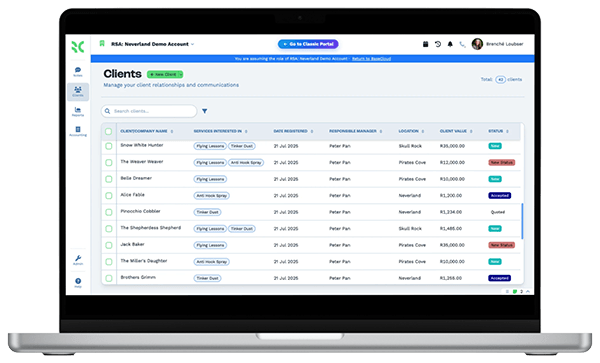
Recruiters tracking candidates, clients and job orders in BaseCloud CRM

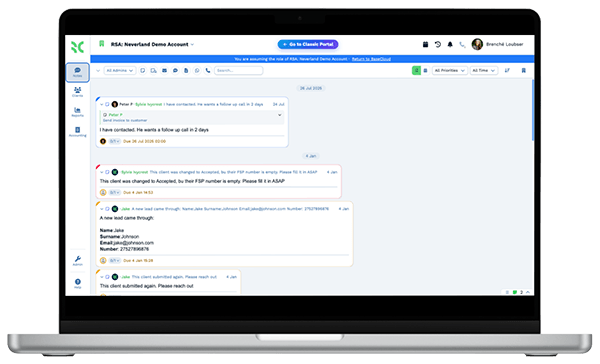
Candidates texted, not chased

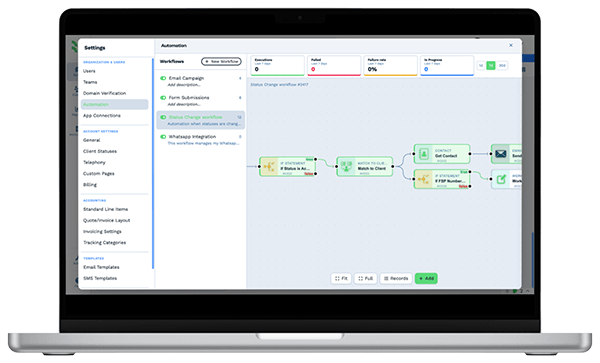
Example workflowFrom job order to placement

Clients who love our CRM system

Feel free to ask them about us.

  • Galetti
  • Quatro
  • Agriskills
  • Mastercare
  • Aluma
  • TutorsSA
  • Gawie le Roux Institute of Law
  • BNI
  • Vision Works
  • Intello Group

Good candidates are off the market in days. Slow recruiters lose them to the agency that texted first.

A hiring manager calls with an urgent opening, and the recruiter starts searching old spreadsheets and email threads for people who fit. Candidates don't answer unknown calls, but they read texts. Interviews get missed because nobody confirmed them. After the start date, the new hire hears nothing until they quit in week three, and the fee goes with them.

What BaseCloud CRM solves

What a recruitment CRM should fix

  • Candidates searchable by skills, location, pay expectation and availability
  • Every job order on the client company, with openings, rates and status
  • Texts to candidates from a business number, with replies on their record
  • Interview confirmations and reminders sent without a recruiter typing them
  • Check-ins with new hires and hiring managers after the start date
  • Screening calls recorded and summarized, so the next recruiter has the notes

How it works

From job order to a placement that sticks

Four jobs every recruiting desk runs each week, and how BaseCloud supports them.

Job orders on the client record

Each client company has a job orders table with title, openings, pay rate, fee and status. The account manager and the recruiters see the same list.

  • Terms of business sent for e-signature before work starts
  • Hiring manager calls recorded, with an AI summary of the role requirements
  • A board view of client companies by status, from prospect to active

What you get

What recruiters use every day

Six BaseCloud features, put in recruiting terms.

  • Job orders and submissions as tables

    A job orders table on each client company and a submissions table on each candidate, with stage, date and pay rate columns.

  • Text candidates from your number

    Two-way and bulk texts from your business number, with replies on the candidate. BaseCloud handles US 10DLC registration for you.

  • Interview reminders that send themselves

    Interviews sync with Google or Outlook calendars, and reminders go to the candidate before each one by text or email.

  • Screening calls summarized

    Every screening and reference call is recorded and transcribed, with an AI summary of skills, availability and pay expectations.

  • One inbox for candidate replies

    Text and WhatsApp replies land in a shared inbox, assigned to the recruiter who owns the candidate.

  • Post-placement check-ins

    Start dates and assignment end dates trigger check-in messages and tasks, so no placement goes quiet after day one.

The BaseCloud difference

Built in, not bolted on

Calling, texting, WhatsApp, email, quoting, e-signature and automation are part of BaseCloud, not add-ons from other vendors. One login, one client record, and no connectors to keep alive between separate subscriptions.

  • Phone system
  • SMS
  • WhatsApp
  • Gmail / Microsoft 365
  • Workflow automation
  • Quotes & invoices
  • E-signature

Recruitment Agencies on BaseCloud

One opening, from job order to a 90-day check-in

This is an example of how a staffing agency could set up BaseCloud for a new opening. It is a sample setup, not a customer story, and each step is a workflow you can change.

Example workflow

A logistics client needs a warehouse supervisor within two weeks

The client's operations manager calls on a Monday morning with a new opening. Here is how the desk fills it and keeps the placement on track.

  1. 1. Job order logged

    The account manager adds a row to the client's job orders table, and the intake call is recorded and summarized.

  2. 2. Candidates texted

    A recruiter filters candidates by skills and location and sends a bulk text about the role. Replies land in the shared inbox.

  3. 3. Screening done

    Screening calls are made from the CRM, recorded and summarized. Shortlisted candidates get a submissions row.

  4. 4. Interviews confirmed

    Interviews are booked in the recruiter's calendar. Candidates get a text reminder the day before and a debrief task follows.

  5. 5. Offer accepted

    The candidate moves to Placed, the start date is set, and the placement fee invoice goes to the client.

  6. 6. Check-ins run

    Texts to the new hire and calls to the hiring manager are scheduled for week one, month one and month three.

Recruiters spend their day talking to candidates and clients. Reminders and check-ins follow every placement without anyone tracking them by hand.

We pride ourselves on 5-Star Service

4.98 Google rating

Read our reviews on Google

FAQ

Recruitment CRM questions

Is BaseCloud an applicant tracking system?
BaseCloud is a CRM, not a full ATS. It tracks candidates, client companies, job orders and submissions using statuses, custom fields and tables. It doesn't parse resumes or post jobs to job boards, so some agencies keep an ATS for those and use BaseCloud for calling, texting and follow-up.
Does BaseCloud integrate with our ATS?
There is no built-in ATS integration. If your ATS can send webhooks, new candidates and job orders can flow into BaseCloud automatically, and the public API works in both directions. You can also move records across by CSV import.
Can we text candidates in bulk?
Yes. You can send one-to-one and bulk texts from your business numbers, and replies land on the candidate's record. For US numbers, BaseCloud registers your brand and campaign for 10DLC. Your agency stays responsible for having consent and honoring opt-outs.
Can we keep candidates and client companies separate?
Yes. A record type field and separate statuses keep candidates and client companies apart, and you can filter, report and send messages by type. Each client company keeps its hiring managers as contacts.
Does BaseCloud handle timesheets or payroll for temps?
No. BaseCloud has no timesheets or payroll. You can invoice clients for placement fees from the CRM, take payment by card through Stripe, and sync invoices to Xero or Sage.
How do we move our candidate database across?
Export candidates and clients from your current system and import them by CSV, then merge any duplicates. Resumes and documents can be uploaded to each record.

Faster shortlists. Placements that stick.

Tell us how your desk fills an opening today, and we'll show you job orders, candidate texting and placement check-ins set up in BaseCloud.

See it for yourself

Watch the system in action