










4.98 Google rating

For clinics, specialist practices and front office teams

Healthcare CRM for Medical Practices and Clinics

BaseCloud gives your front office a phone system that sorts callers for you and a CRM that keeps track of every new-patient inquiry and referral. Your EHR keeps the clinical record. BaseCloud handles the calls, messages, reminders and follow-up around it.

Weighing us up against what you run now? Grab the CRM comparison sheet.

Medical practice team managing patients and appointments in BaseCloud CRM

Callers routed by a phone menu

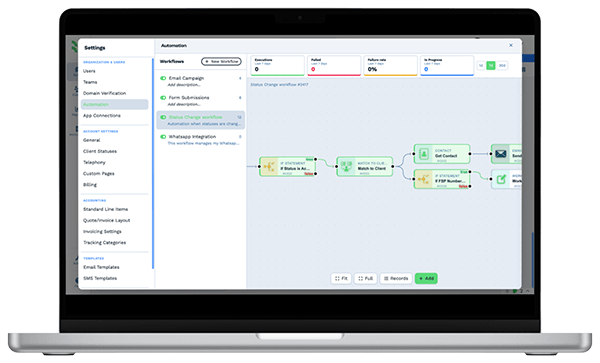
Example workflowFrom referral to first visit

Clients who love our CRM system

Feel free to ask them about us.

  • Galetti
  • Quatro
  • Agriskills
  • Mastercare
  • Aluma
  • TutorsSA
  • Gawie le Roux Institute of Law
  • BNI
  • Vision Works
  • Intello Group

Patients judge a practice by how the phone is answered. Referring doctors judge it by the follow-through.

Monday morning, every line lights up at once. Scheduling questions, billing questions and a referring office asking about a patient they sent last week all land on the same two people. Callers hang up after a long hold. Referrals that came in by email sit in a stack until someone has a quiet hour, and the patient books with whichever practice called first.

What BaseCloud CRM solves

What a healthcare CRM should fix

  • Calls sorted by a menu to scheduling, billing or the clinical team
  • Ring groups that reach the next free person instead of a busy signal
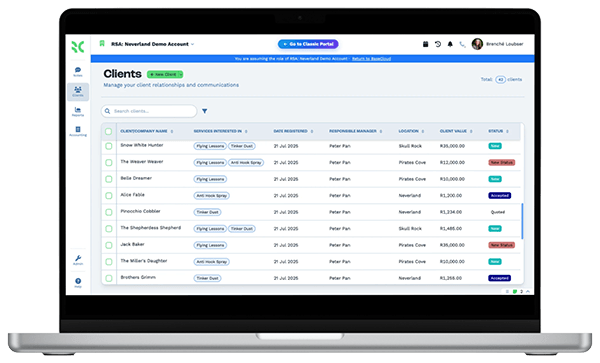
  • Every new-patient inquiry logged with its source and an owner
  • Referrals tracked from receipt to first appointment, by referring provider
  • Appointment reminders that go out without staff typing them
  • After-hours voicemails waiting on the patient record at opening

How it works

Calls, inquiries, referrals and reminders in one place

Four front-office jobs a busy practice handles every day, and how BaseCloud runs each one.

A reception line that sorts calls for you

An IVR menu sends callers to scheduling, billing or the nurse line. Ring groups try the next available person, and calls can follow staff to their cellphones.

  • Warm or cold transfers between the front desk and the back office
  • Voicemail saved on the patient record when nobody can pick up
  • Calls recorded, transcribed and summarized for training and callbacks

What you get

What a practice front office relies on

The BaseCloud features clinics use most, described in front-office terms.

  • Phone menus and ring groups

    Press 1 for appointments, 2 for billing. Ring groups, ring steps and cellphone follow-me keep calls from going unanswered.

  • Calls from any desk

    Staff answer in the browser, on a SIP phone or on the BaseCloud Phone app, with each call logged against the patient.

  • Recordings with AI summaries

    Each call is recorded and transcribed, with a short summary and action points. Useful for training new reception staff.

  • A Referrals table on each patient

    Referring provider, reason, date received, scheduled date and status, plus fields for insurance carrier and preferred location.

  • One inbox for patient texts

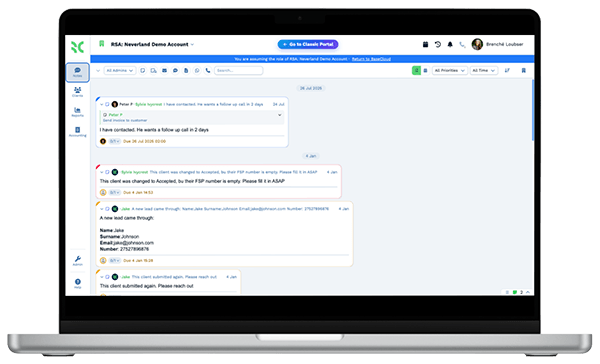
    Text and WhatsApp replies land in a shared inbox, assigned to the right person and matched to the patient automatically.

  • Front-office numbers at a glance

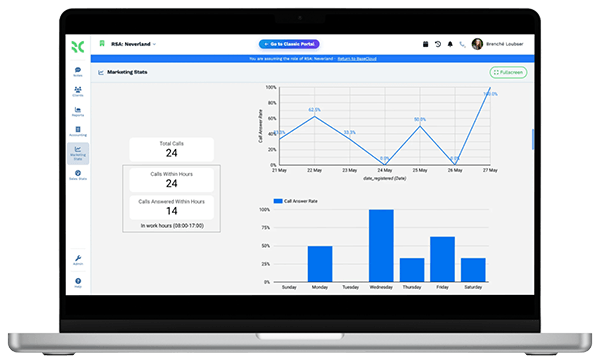
    Calls by user, new-patient inquiries by source and referrals by provider, side by side on one dashboard.

The BaseCloud difference

Built in, not bolted on

Calling, texting, WhatsApp, email, quoting, e-signature and automation are part of BaseCloud, not add-ons from other vendors. One login, one client record, and no connectors to keep alive between separate subscriptions.

  • Phone system
  • SMS
  • WhatsApp
  • Gmail / Microsoft 365
  • Workflow automation
  • Quotes & invoices
  • E-signature

Healthcare Providers on BaseCloud

One referral, from inbox to first appointment

This walk-through is an example setup for a specialist practice, not a customer story. Each step is a standard workflow you can change.

Example workflow

A primary care referral at a three-physician dermatology practice

A family physician's office emails a referral for a patient with a suspicious mole. Here is how the practice moves it along.

  1. 1. Referral received

    The email reaches the referrals team mailbox. An Inbound Email workflow creates the patient and a Referrals row, and assigns a coordinator.

  2. 2. Patient called

    The coordinator gets a Workflow Note and calls from the browser. The call is recorded and summarized on the record.

  3. 3. Visit booked

    The appointment goes into the physician's calendar. The patient gets a confirmation text with the address and what to bring.

  4. 4. Referrer updated

    An email template tells the referring office the appointment date, so nobody has to phone to ask.

  5. 5. Reminder sent

    A Calendar Trigger texts the patient the day before. A reply to reschedule lands in the shared inbox.

  6. 6. Follow-up due

    A date field holds the next skin check. A year later the reminder goes out on its own.

The EHR holds the chart. BaseCloud makes sure the referral turns into a visit.

We pride ourselves on 5-Star Service

4.98 Google rating

Read our reviews on Google

FAQ

Healthcare CRM questions

Is BaseCloud HIPAA compliant?
BaseCloud does not currently advertise HIPAA compliance. Keep clinical records in your practice's own EHR or practice management system. Before you store any patient health information in BaseCloud, talk to us about exactly what data you plan to keep there.
Does BaseCloud connect to our EHR?
There is no built-in connection to any EHR or practice management system. Data can come in through the API, a webhook, a CSV import or an Inbound Email workflow. Most practices use BaseCloud for calls, inquiries, referrals and reminders, and keep scheduling and charting in their existing system.
Can we keep our main number and set up a phone menu?
Yes. You can port your existing numbers into BaseCloud and build menus, ring groups and ring steps on a visual call flow. Calls can ring staff cellphones when they're away from their desk.
Can patients text the practice?
Yes. Patients can text your practice number and replies go to a shared inbox that staff can assign. BaseCloud handles US 10DLC registration for your numbers. Your practice stays responsible for patient consent and for what is sent by text.
Can we see which doctors refer the most patients?
Yes. Keep referring practices as records and log each referral in a table with its status. A dashboard shows referrals by provider and how many became appointments.
Does it suit a practice with several locations?
Yes. Each location can have its own numbers, ring group and team. Roles and field-level permissions control what each staff member can see and edit.

Fewer callers on hold. More referrals booked.

Tell us how your front office handles calls and referrals today, and we'll show you the same work set up in BaseCloud.

See it for yourself

Watch the system in action