Call Connect

Speed-to-lead calling that turns web leads into paying clients.

Instantly reply to your clients’ form submissions with our Call Connect system.

Speed to lead

Call new leads while they are still on your website

Speed to lead is the time between a lead asking to be contacted and your first reply. A web lead is ready to talk at the moment they press send, and less so with every minute after that. Call Connect removes the wait: the form arrives, your rep’s phone rings, and the two are talking while the lead is still on your website.

Call Connect

Easy installation

Call Connect is easy to install and easy to implement, and can be put on any website type.

Call Connect working on desktop, tablet and phone

Your team

Pick rep numbers

Pick the numbers of the sales representatives to answer contact requests.

Schedule a callback

A sales representative taking a call

Step by step

How Call Connect works

  1. Form submitted

    A customer submits a form on your website.
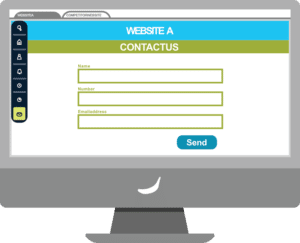
    A contact form on a website
  2. You receive a call

    You receive a call from Call Connect, and the content of the form submission is played back to you.

    An incoming call from Call Connect
  3. Immediately connect

    You choose to immediately connect with the customer by pressing “1” on your dial pad.
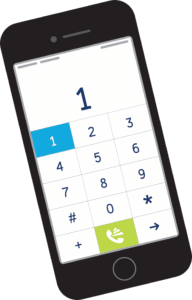
    A phone dial pad
  4. Calls customer

    Your customer’s phone rings.

    The customer’s phone ringing
  5. Make the sale

    Close the deal!

    A five-star rating

On every call

What happens on a Call Connect call

  • Your rep is called first. The lead’s phone only rings once your rep has picked up.
  • The rep hears the lead’s details. A short spoken message reads out what the form said. The lead does not hear it.
  • The two are connected. The CRM dials the lead and joins the call.
  • The call is recorded. The recording link comes back into the workflow with the call’s result.
  • The result starts the next step. Whether the call was answered, how long it rang and how long they spoke are all available to a workflow.

Automation

A step in your workflows, not a separate tool

Call Connect is one of the actions in the workflow builder, so the call can depend on what the lead told you and on what happens next.
  • Send the call to the right rep

    Use the area, service or product on the form to pick whose phone rings, or share new leads between reps in turn.

  • Hold calls after hours

    Add a check for your opening hours, so a form sent at midnight is called the next morning and not while your team is asleep.

  • Try again if nobody answers

    When the first attempt fails, a workflow can wait a few minutes and call again, or send the lead a text or an email instead.

  • Keep the record up to date

    Match the lead to a client or create a new one, then log the call, its length and its recording on that record.

Calls from Call Connect sit alongside the rest of your calling: see the built-in phone system,call recording and AI summaries and lead tracking.

Part of BaseCloud CRM

Instant calls, instant conversations

Call Connect bridges a form submission and a live call between your sales representative and a lead. The CRM does the dialing, prompting, and logging, all within seconds.
  • Respond quickly: contact leads right after they are submitted.
  • Impress customers: instant callbacks build trust.
  • Route intelligently: use form input to send calls to the right person.
  • Follow up missed calls: “retry the call” logic can be built in.

Let us help you

Schedule a callback

FAQ

Call Connect questions

What is speed to lead?
Speed to lead is the time between a lead asking to be contacted and your first reply. The shorter it is, the more likely you reach the lead while they are still looking and before they contact someone else.
How quickly does Call Connect call a new lead?
Within seconds of the form being submitted. The CRM calls your sales rep first, reads out the lead’s details, and then dials the lead and connects the two of you.
What happens if my rep does not answer?
The lead is not called, so nobody is left waiting on a silent line. The result comes back into the workflow, where you can wait and try again, ring a different rep, or send the lead a text or an email.
Which forms work with Call Connect?
Any form that reaches BaseCloud CRM: a BaseCloud website form, or a form on another system that sends its entries to a workflow by webhook. Call Connect is a step in an automation workflow, so anything that starts a workflow can start a call.
Are Call Connect calls recorded?
Yes. Each call is recorded, and the recording link comes back into the workflow with the result of the call, so it can be saved on the client record. Telling callers that calls are recorded, where the law requires it, is your responsibility.
Can I stop calls from going out at night?
Yes. Add an opening-hours check before the Call Connect step in the workflow. Leads that arrive after hours can be called when your team is back, and you can send them a message straight away to say so.

Run your whole business from one client record

Calls, texts, WhatsApp, email, quotes and automation in one CRM. Live in 48 hours, with your data migrated and your team trained.